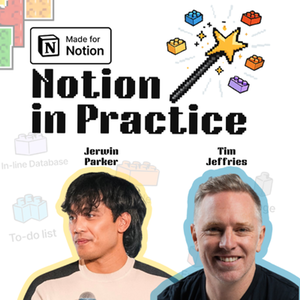
Flight Centre Travel Group's Matt Upton explains how his automation team uses Notion, Notion Workers and Notion AI skills at enterprise scale, and why nothing gets automated until the process behind it is fixed.
Matt is Head of Automation and Innovation for Flight Centre's Asia Pacific corporate brands, leading a team of around 30 across five brands from India and the Middle East to Japan, Australia and New Zealand.
Inside a 12,500-person business, the work ranges from multi-step customer onboarding automations to five-minute tasks done 500 times a day.
He joins Tim Jeffries and Jerwin Parker on Notion in Practice to walk through how his part of the business made Notion its single source of truth. Information used to be spread across Confluence, Azure DevOps, SharePoint, OneDrive and local files, and nothing joined up.
Flight Centre's corporate technology teams now have roughly 1,000 Notion seats. "I tell people if it's not in Notion, it doesn't exist," Matt says, and that rule is what made the change stick.
Who this is for
Operations, automation and technology leaders fitting Notion, Workers and Notion AI into an existing enterprise stack, and smaller teams who want the same discipline without the headcount.
Why can't you automate a bad process?
Because automation speeds up whatever process it runs on. Matt's team won't automate anything until it has been through a continuous improvement pass. As Tim puts it, automating a bad process just makes the chaos go faster and the mess grow quicker.
How did Notion take hold at Flight Centre?
Microsoft Loop opened the door. Notion had been in the business for years with only a handful of real users, and once teams saw collaborative documents working in Loop, a few people pointed out that Notion already did this at scale.
How does Matt's team sync Smartsheet and Azure DevOps with Notion?
With Notion Workers, small pieces of code deployed to Notion. Matt has seven or eight Smartsheets plus Azure DevOps syncing into Notion databases this way, set up in a short conversation with a coding tool and left to run without babysitting. Most Workers do one plain job like this.
How do you build a Notion Worker?
Start with a brief. Tim gets clear on the problem with Notion AI, then hands the brief and the Worker docs to Claude Code. His Worker was deployed and working within an hour.
Do you have to migrate everything into Notion?
No. Smartsheet and Azure DevOps stay where they are as the data layer, Notion becomes the context and reporting layer on top, and Workers keep the two in sync. The episode also covers Notion as "the Switzerland of AI", connecting different models and tools.
Three actionable takeaways
- Run a continuous improvement pass before you automate anything.
- Leave your system of record where it is and use Notion Workers to sync the data into Notion.
- Start every Worker with a brief from Notion AI, then point a coding tool at the brief and the Worker docs.
Resources mentioned
Tim's article "You already have a digital operating system": https://smoothopsconsulting.substack.com/p/you-already-have-a-digital-operating
Connect with Matt Upton.
Connect with Jerwin Parker.
Connect with Tim Jeffries.