🎧 Ready to build your own AI-powered chatbot — without touching a single line of code?
In this episode, I’ll walk you through Microsoft Copilot Studio (formerly Power Virtual Agents) — the tool that lets you create smart, conversational chatbots that answer questions, automate tasks, and connect directly to your Power Platform solutions. 🤖✨
You’ll discover:
🔍 What Copilot Studio really is and how conversational AI works
💬 How your bot understands natural questions — no commands or keywords needed
🔗 How to connect your chatbot with Power Automate to create tickets, check statuses, send emails, and more
📚 How to use your own documents, PDFs, and websites to generate AI-driven responses
💼 Real examples like helpdesk assistants, HR bots, customer service bots, event support bots, and internal employee assistants
💡 How beginners can explore Copilot Studio with zero coding or AI experience
🌐 How Copilot Studio fits perfectly with Power Apps, Power Pages, Power Automate, and Dataverse
Whether you’re a student, a professional, or someone beginning your Power Platform journey, this episode will help you understand how Copilot Studio brings conversations, automation, and AI together — making your solutions smarter, faster, and more interactive.
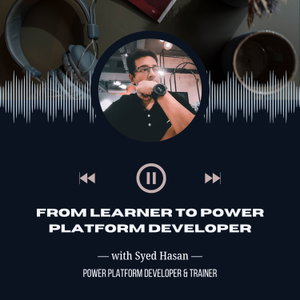
I’m Syed Md Maruf Hasan, Power Platform Developer & Trainer, and founder of LowCodeDev.
I help beginners, students, and career changers explore Microsoft Power Platform through hands-on learning and practical insights.
📍 Based in Malaysia 🇲🇾
🌐 Website: https://syedhasan.dev💼 LinkedIn: https://www.linkedin.com/in/syed-hasan-maruf📸 Instagram: https://www.instagram.com/lowcodedev
🙏 Special Thanks
I’d like to thank the Microsoft Power Platform Community for supporting me throughout this low-code journey. Your guidance, learning resources, and shared experiences have inspired me to keep growing and helping others. 💙
Music credit: Background music provided royalty-free by @Pixabay. 🎵✨
🔗 Useful Links to Continue Your Learning
Explore the Power Platform Documentation for tool guides, syntax, examples, and best practices:
👉 https://learn.microsoft.com/power-platform/
Prepare for the Microsoft Power Platform Certification Exams (PL-900, PL-100, PL-200, PL-400 and more):
👉 https://learn.microsoft.com/certifications/browse/?resource_type=certification&products=power-platform
Try the Applied Skills Certifications — hands-on and perfect if you're not ready for full exams:
👉 https://learn.microsoft.com/credentials/applied-skills/
Join the amazing Power Platform Community to learn, ask questions, and grow together:
👉 https://powerusers.microsoft.com/
This is the era of low-code — and we’re all here to support each other. 💙